Finding the Needle in the Haystack: The Art of Comparison
Have you ever spent an hour squinting at two versions of a 2,000-word document, trying to spot a single modified sentence? Or perhaps you've been handed a 'final' legal contract and you need to verify every single punctuation mark and clause. Manually reading side-by-side is slow, exhausting, and prone to human oversight.
In modern computing, we don't 'read' for changes; we diff. A Visual Diff Checker is the definitive solution for finding the precise delta between two blocks of text or code.
How to Check If Two Texts Are Identical
Need to know with 100% mathematical certainty if two blocks of text are identical? Here is how you do it:
- Open the free Digibee Diff Checker.
- Paste your first text block into the Original Text window on the left.
- Paste your second text block into the Modified Text window on the right.
- If the texts match down to the exact character, you will see an immediate green confirmation badge: "Texts are identical — zero differences found".
- If there is even a single trailing space, non-breaking space (NBSP), modified capital letter, or missing comma, the diff engine highlights the exact discrepancy in red and green.
How to Find Diff Between Two Files, Code Blocks, or Documents
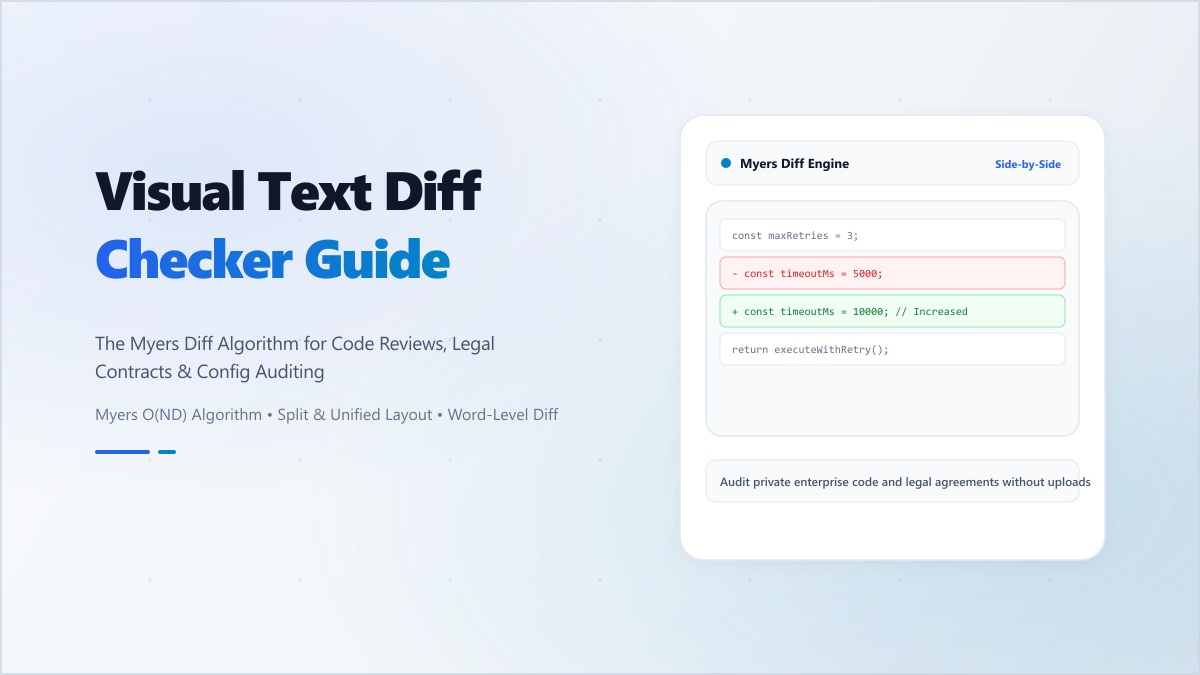
When comparing complex source code or updated drafts, finding the diff involves calculating the minimum edit distance. Behind the scenes, Digibee runs the Myers Diff Algorithm, dividing changes into three distinct visual categories:
- Deletions (Red Strike-Through): Words, characters, or full lines present in the original text that were deleted in the newer version.
- Additions (Green Highlight): New words, parameters, or paragraphs introduced in the revised version.
- Modifications (Inline Highlights): Lines where only a few characters changed (e.g. changing
falsetotruein a configuration file).
How to Find Difference Between Two Points or Versions
Whether you are comparing Point A (Baseline Draft) and Point B (Final Submission) or inspecting telemetry between two data points, side-by-side comparison eliminates guesswork:
- Side-by-Side (Split View): Ideal for wide desktop screens. Original text sits on the left and modified text sits on the right, keeping synchronized scroll bars so you can trace edits line-by-line.
- Unified (Inline View): Perfect for mobile phones and git-style reviews. Additions and deletions are displayed in a single unified flow with standard
+and-indicators.
100% Private Client-Side Diffing
Unlike public online comparison tools that upload your sensitive documents to remote cloud servers, the Digibee Text Diff Checker runs 100% locally in your browser's execution memory. Proprietary software algorithms, confidential NDAs, and customer data never leave your computer.
"Stop scanning with your eyes. Let algorithmic precision find every single edit, insertion, and typo in milliseconds."
Start comparing your documents now with the free Digibee Diff Checker.