The Challenge of Modern Video: High Quality, Massive File Sizes
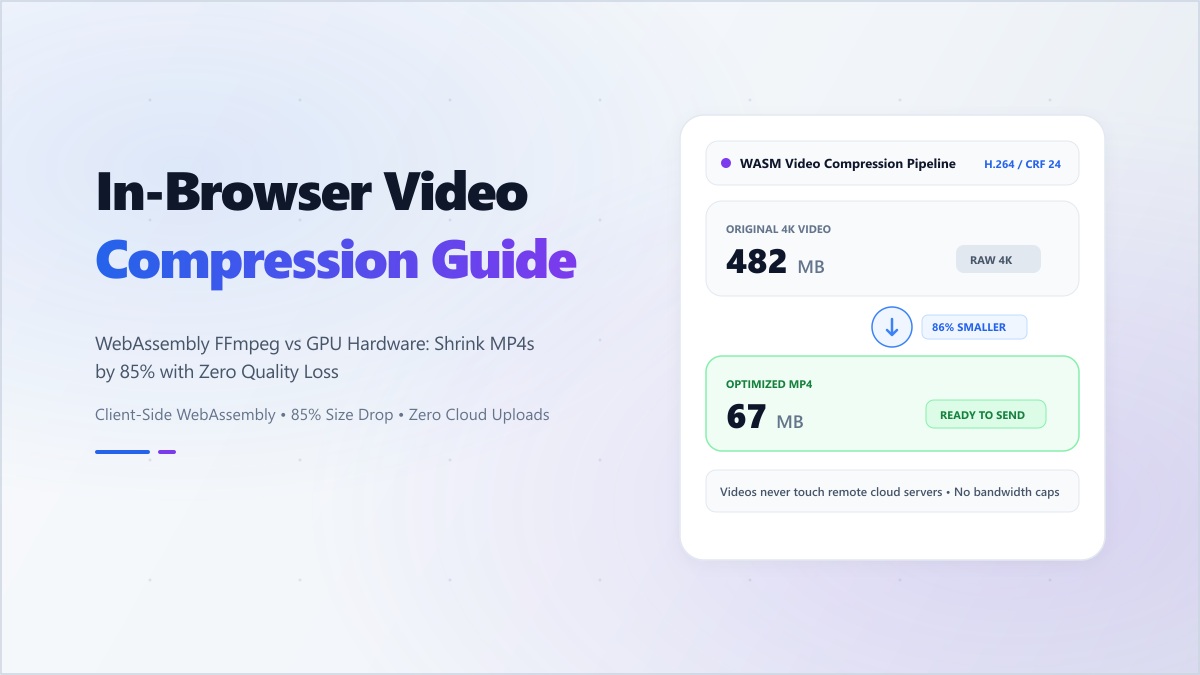
Whether you are capturing 4K screen recordings for a software demo, exporting footage from Adobe Premiere, or recording video on a modern smartphone, raw video files are notoriously bloated. A 2-minute 1080p video can easily exceed 200MB, making it impossible to send via email, upload to Discord without Nitro, or embed into high-performance web pages.
Historically, solving this meant uploading your proprietary video footage to third-party cloud conversion websites. But this introduces two massive problems: Privacy Vulnerabilities (your personal videos are stored on remote servers) and Network Bottlenecks (waiting 15 minutes just to upload a 500MB file before compression even begins).
The WebAssembly (WASM) Video Revolution
Today, modern browser engines can run compiled C/C++ codecs like FFmpeg directly inside your browser tab at near-native CPU speeds. This means you can compress, transcode, and downsample video files entirely in your device's memory.
Key Advantages of Browser-Side Video Compression:
- Absolute Privacy: Zero cloud uploads. Your confidential screen recordings and personal videos never leave your local machine.
- No File Size Limits: Cloud sites cap you at 100MB to force a subscription. On Digibee, your local CPU and RAM determine the capacity—not an arbitrary paywall.
- Instant Transcoding: Eliminate upload wait times. Processing begins the exact millisecond you drop your file.
Understanding Video Codecs: H.264 vs H.265 vs VP9 vs AV1
When compressing video, your choice of codec dictates the balance between compatibility and compression efficiency:
- H.264 (AVC): The universal king of compatibility. Plays smoothly on every smartphone, television, and browser created in the last 15 years.
- H.265 (HEVC): Offers ~40% better compression than H.264 at identical visual quality, standard on modern iPhones and 4K streaming hardware.
- WebM / VP9 & AV1: Google's open-source web format, ideal for HTML5 video backgrounds and ultra-fast web streaming.
Are WebM Files Smaller Than MP4? Comparison & Codec Breakdown
A common question content creators and web developers ask is: are WebM files smaller than MP4? In general, yes—for standard web delivery and streaming, WebM files are typically 20% to 35% smaller than standard H.264 MP4 files while maintaining equivalent visual fidelity.
However, it is crucial to understand the difference between the container format (the file extension like .mp4 or .webm) and the underlying video codec (the mathematical algorithm compressing the frames):
- Standard MP4 (H.264 / AVC): Traditional MP4 files use the older H.264 codec. While supported by 99.9% of all devices and media players, H.264 requires higher bitrates to avoid pixelation, resulting in heavier file downloads.
- WebM (VP9 / AV1): WebM was engineered by Google specifically for the modern web. Using advanced VP9 or next-gen AV1 compression, WebM discards spatial and temporal redundancies with far higher precision, yielding noticeably leaner file sizes.
- Modern MP4 (H.265 / HEVC): When MP4 is encoded with H.265 (HEVC), its file size is comparable to or even slightly smaller than VP9 WebM. However, H.265 suffers from proprietary patent licensing fees and spotty playback on open-source web browsers like Chromium on Linux.
WebM vs. MP4 Quick Reference Table
| Feature | WebM (.webm) | Standard MP4 (.mp4) |
|---|---|---|
| Average File Size | 20% – 35% smaller | Larger (H.264 baseline) |
| Primary Video Codec | VP9, AV1 | H.264 (AVC), H.265 (HEVC) |
| Browser Playback | Chrome, Firefox, Edge, Safari 14.1+ | Universal (100% of devices) |
| Alpha Channel (Transparency) | Yes (Supported via VP8/VP9) | No (Requires specialized ProRes/HEVC) |
| Best Use Case | Web animations, hero backgrounds, Discord | Social media uploads, video editing, broad offline sharing |
Which Format Should You Choose?
Use WebM if your primary objective is fast page loads, lightweight website hero backgrounds, or passing email and chat file size limits. Use MP4 when sharing videos on Instagram, WhatsApp, YouTube, or with clients using legacy Windows or macOS media players.
3 Pro Tips for Maximum Video Compression Without Visual Artifacts
- Downscale High Resolutions: If your video was recorded in 4K (3840x2160) but is intended for mobile viewing or Slack, downscaling to 1080p (1920x1080) reduces file size by nearly 70% with zero perceived quality loss.
- Tune Constant Rate Factor (CRF): A CRF of 23–26 offers the sweet spot between crisp edges and compact file sizes.
- Optimize Audio Bitrate: Uncompressed audio tracks can account for up to 20% of a video's weight. Re-encoding audio to 128kbps AAC or Opus preserves crystal-clear speech while shedding megabytes.
"The fastest network request is the one you never have to make. Processing media locally in the client is the true future of web computing."
Experience lightning-fast, private video compression. Try the Digibee Video Compressor today for instant, watermark-free results.